10 Essential Tips for Choosing the Right Windows VPS for Your Business?
Choosing the right Windows VPS for your business is crucial. A Windows VPS can provide flexibility, scalability, and enhanced security. However, not every VPS solution is the same. The market is filled with various providers, each promising the best service. It can be overwhelming to sift through options.
The importance of selecting a reliable Windows VPS cannot be overlooked. Your choice influences performance, uptime, and customer satisfaction. Many businesses underestimate the potential impact. For example, slow loading times can deter customers and harm your reputation.
It is essential to evaluate your specific needs. Consider your budget, the level of technical support, and the resources required for your applications. Some providers might offer low prices, but their performance may suffer. Therefore, balancing cost with quality is essential. Make informed decisions to ensure long-term success.
Understanding Your Business Needs for a Windows VPS
When selecting a Windows VPS for your business, understanding your specific needs is crucial. Consider the type of applications you will run. Some applications demand more resources than others. For instance, a simple website may require less power compared to a complex database system. Make a detailed list of your current and future resource requirements.
Think about scalability too. Your business may grow, and you need a VPS that can adapt to increased traffic or data storage needs. Avoid options that lock you in for the long term. Opt for flexible plans that allow you to upgrade or downgrade easily. This flexibility can save costs and fits better in fluctuating market conditions.
Another essential facet is security. Assess what security measures your potential provider has in place. Given the rise in cyber threats, these measures shouldn't be overlooked. A reliable provider should offer advanced security features like firewalls and regular backups. Verify their track records and customer support responses. Consider how they handle issues. Your decision should enhance your business’s operational efficiency and security.
10 Essential Tips for Choosing the Right Windows VPS for Your Business
| Tip |
Description |
Importance Level |
| 1. Assess Your Needs |
Understand the specific requirements of your applications and business operations. |
High |
| 2. Evaluate Performance |
Look for a VPS that offers adequate resources (CPU, RAM) for optimal performance. |
High |
| 3. Consider Scalability |
Choose a provider that allows easy scaling of resources as your business grows. |
Medium |
| 4. Check for Support |
Look for 24/7 support options for resolving technical issues promptly. |
High |
| 5. Research Security Features |
Ensure the VPS provider has robust security measures to protect your data. |
Critical |
| 6. Evaluate Price vs. Features |
Compare different providers to find the best value for your budget. |
Medium |
| 7. Read Customer Reviews |
Look for feedback from other users about reliability and service quality. |
Medium |
| 8. Trial Period |
Opt for a provider that offers a trial period to test their services. |
High |
| 9. Understand Downtime Policies |
Review the provider’s policies on uptime and downtime compensation. |
High |
| 10. Network Quality |
Ensure the VPS provider has a reliable network to maintain connectivity. |
Critical |
Evaluating Performance Specifications of Windows VPS Options
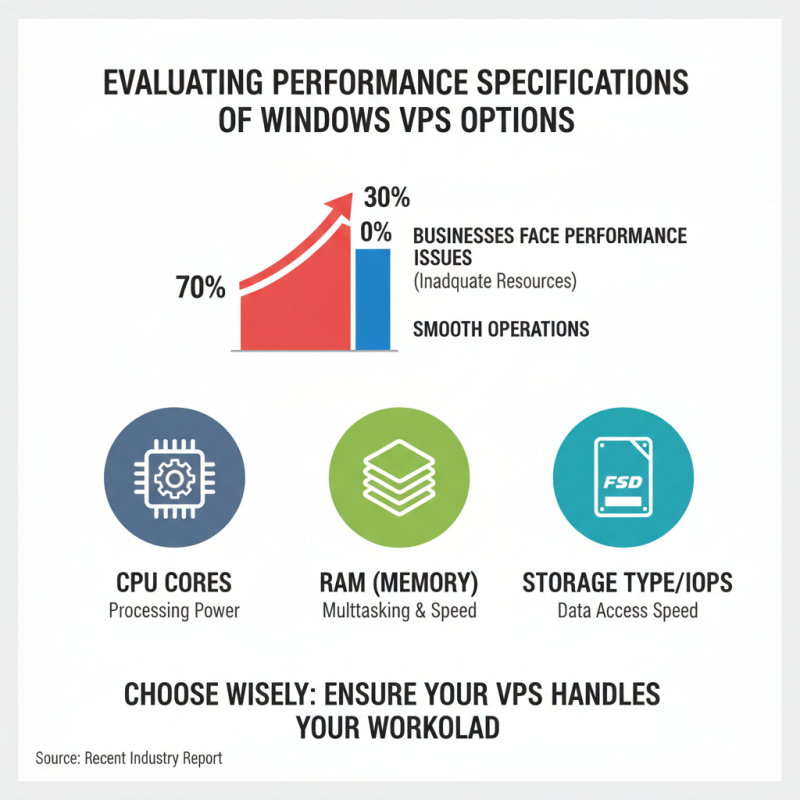
When selecting a Windows VPS, evaluating performance specifications is crucial. According to a recent industry report, nearly 70% of businesses experience performance issues due to inadequate server resources. Thus, understanding key specifications helps ensure your VPS can handle your workload effectively.
Look for RAM and CPU specifications that match your application needs. A VPS with at least 4GB of RAM is generally recommended for small to medium businesses. This allows for smoother operation and better response times. Some businesses might find their applications lagging with minimal resources. It’s worth researching typical workloads to gauge your requirements.
Storage type is equally important. Opt for SSD storage over traditional HDD. SSDs offer up to 300% faster read/write speeds. As noted in a recent technology survey, companies using SSDs report a more efficient user experience. These details can make a significant difference in overall performance. Inadequate storage can lead to slow access times, frustrating users.
Lastly, check the network capabilities. A VPS with at least 1 Gbps bandwidth ensures better performance, especially for high-traffic applications. Monitoring these specifications can lead to better business outcomes. Performance directly impacts customer satisfaction, which can reflect on your bottom line.
Comparing Pricing Plans and Features Across Providers
When choosing a Windows VPS, pricing plans and features are crucial. Different providers offer varied options. Basic plans often lack essential features. You might save money initially but face limitations later. Assess what you truly need. Features like CPU, RAM, and SSD storage matter.
Consider scalability. Your business may grow quickly. Some providers allow easy upgrades. Others might lock you into a plan that's hard to change. Be cautious about hidden fees, too. Some companies advertise low rates, but extra charges can add up.
Evaluate customer support. Reliable assistance is vital when problems arise. Check response times and availability. A less expensive plan may come with poor support, leading to frustration. It's essential to weigh cost against potential downtime. You could end up spending more if issues aren’t resolved promptly.
Assessing Customer Support and Technical Assistance Availability
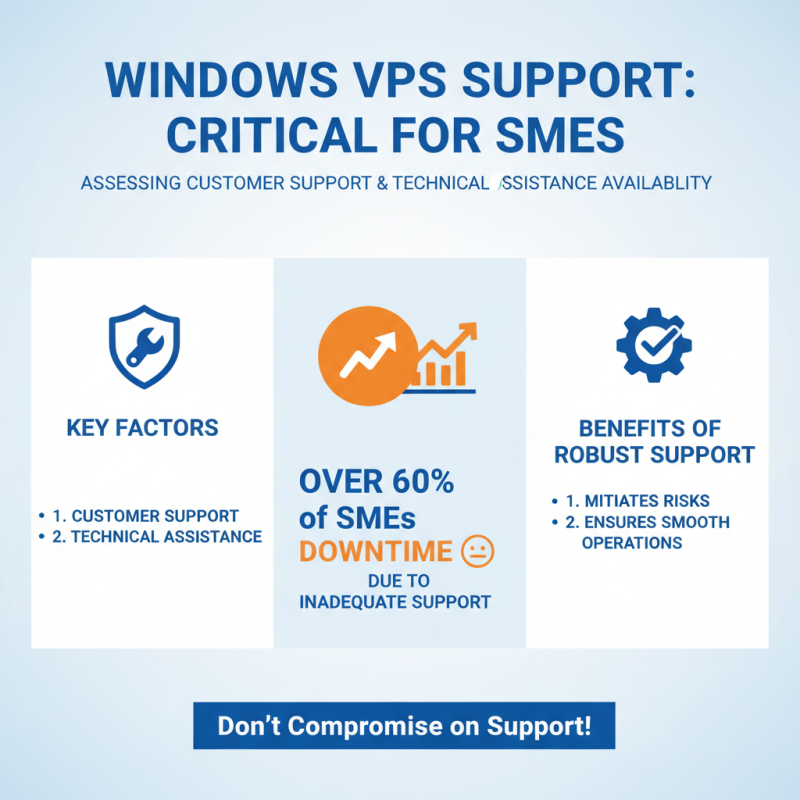
When selecting a Windows VPS for your business, customer support and technical assistance are critical factors. A recent industry report highlighted that over 60% of small to medium enterprises (SMEs) face significant downtime due to inadequate support. A well-structured support system can mitigate risks and ensure smooth operations.
It's essential to assess the availability of support channels, such as live chat, phone, or ticket systems. Look for providers that offer 24/7 support. Many users find that immediate assistance can save time and reduce frustration. Test their response times before making a decision. Some businesses report waiting hours for basic help, which can impact daily operations.
Reliability often correlates with the quality of support provided. Consider a provider with a reputation for fast resolutions. Some market research indicates that businesses with access to expert technical guidance experience a 30% increase in productivity. Evaluate the expertise of the support staff. Are they knowledgeable? Check online reviews for insights into real user experiences. A provider with qualified personnel can make a significant difference.
Ensuring Security Features and Backup Solutions are in Place
When selecting a Windows VPS, prioritizing security and backup solutions is crucial. You want to ensure your data remains safe and recoverable. Security features should include firewalls, regular updates, and malware protection. Many providers emphasize security, but inspect what specific measures they implement. Don’t hesitate to ask about encryption and data protection policies.
Backup solutions are essential. Does the VPS host offer automated backups? Manual backup can risk data loss, especially during emergencies. An effective VPS should allow for easy restoration of your data. Evaluate if the provider guarantees uptime for their backup services.
Consider penetration testing as a way to identify security flaws in your VPS setup. Regularly testing if your security measures hold against potential threats is vital. Assess how the provider addresses security breaches when they happen. Investing in a VPS means understanding the commitment to keep your business data secure and available.